

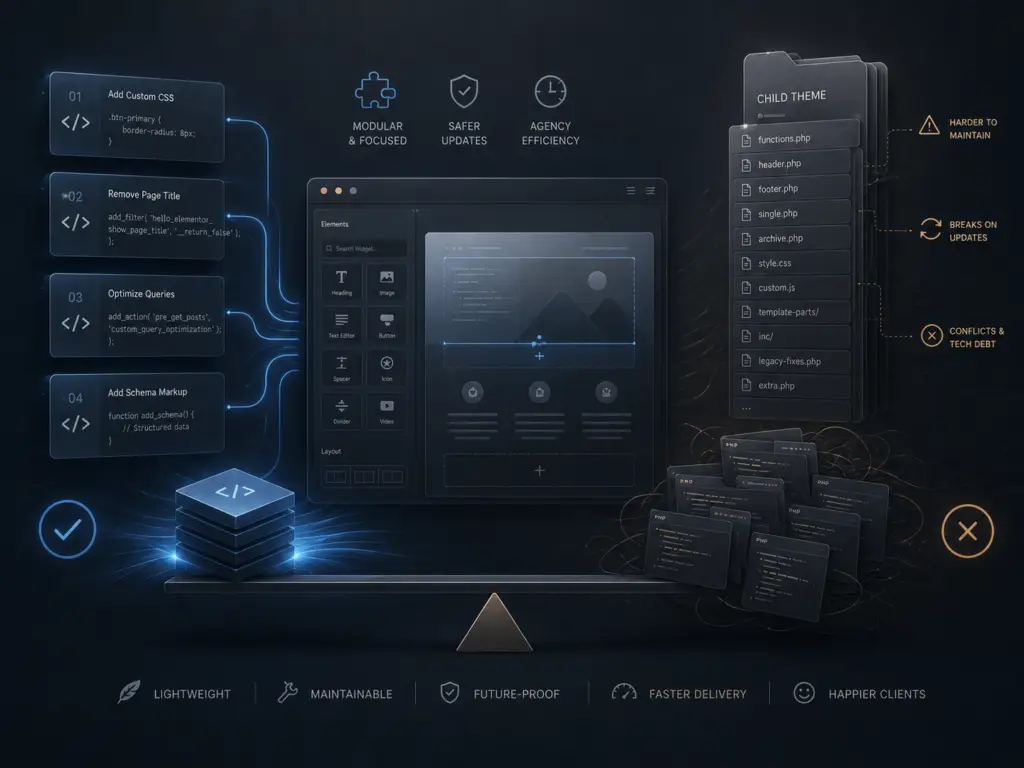
For most Hello Elementor sites, code snippets are a safer and more maintainable way to add custom code than building out child themes. Agencies that switch to snippets cut down on technical debt, speed up launches, and avoid common pitfalls with theme updates.
01Why Hello Elementor Changes the Game
Hello Elementor is designed to be a minimal, no-frills starter theme. It leaves almost all layout and style decisions to Elementor itself. This is a big shift from traditional WordPress themes, where the theme handled much of the site’s appearance and logic.
On classic themes, child themes made sense. You needed to override templates, enqueue scripts, or add custom functions. But with Hello Elementor, there’s almost nothing in the parent theme to override. The theme is just a blank canvas. Most design and layout work happens in Elementor, not in PHP templates or theme files.
When you reach for a child theme on Hello Elementor, ask yourself: what are you actually customizing? If it’s just a few functions, tweaks, or small bits of CSS, a child theme is usually overkill. That’s where code snippets come in.
02The Case for Code Snippets
Code snippets are small pieces of PHP (or sometimes CSS/JS) that you add to your site to change behavior or add features. There are several ways to manage them, but the most popular is using a plugin like Code Snippets or WP Custom Functions.
- Less risk during updates: Child themes can break if the parent theme changes structure or if you forget to update files. With Hello Elementor, the parent theme rarely changes, but it’s still an extra moving part. Code snippets are isolated and easier to manage.
- No FTP or file editing required: Most agencies want to keep clients out of the file system. Code snippets plugins let you add, enable, or disable custom code right from the dashboard.
- Faster deployment: You can add or adjust snippets quickly, without pushing files or syncing staging and production environments.
- Easy rollback: If a snippet causes issues, you can simply disable it. With child themes, you’re editing files and risking site downtime if there’s a PHP error.
For most Hello Elementor builds, all custom PHP can live in the snippets manager. No need for a child theme unless you have a very specific reason.
03When Child Themes Still Make Sense
There are rare cases where a child theme is still the right call, even on Hello Elementor:
- Custom template files: If you truly need to override a template (for example, WooCommerce templates), a child theme is required. But this is uncommon on Hello sites, since most structure is handled by Elementor’s Theme Builder.
- Heavy CSS or asset management: If you need to enqueue lots of custom stylesheets or scripts, a child theme can help keep things organized. But for most small tweaks, snippets or the Customizer’s Additional CSS are enough.
- Complex logic or integrations: If you’re building something much closer to a custom theme or plugin, then a child theme (or even a custom plugin) may be justified. But this is not the norm for typical agency builds on Hello Elementor.
In our experience, fewer than 1 in 10 Hello Elementor sites actually need a child theme. The rest run faster and break less often with a snippets-first approach.
04How to Safely Use Code Snippets
Managing snippets is straightforward, but there are a few best practices to keep your sites safe:
- Use a reputable snippets plugin: The Code Snippets plugin is widely used and lets you organize, enable, and export snippets. It also checks for syntax errors before saving.
- Organize by function: Don’t dump everything into one giant snippet. Create a separate snippet for each logical tweak or feature. This makes it easy to enable/disable or troubleshoot later.
- Test on staging first: Even a small typo in PHP can take down a site. Always test new snippets on a staging environment before pushing to production.
- Document your snippets: Add comments at the top of each snippet explaining what it does and when it was added. This helps future you (or your team) understand why a change was made.
05Pitfalls to Avoid
Switching to snippets isn’t risk-free. Here are common mistakes agencies make:
- Overloading the snippets plugin: Hundreds of snippets can slow down the admin or cause conflicts. Periodically review and clean up old or unused snippets.
- Mixing plugin-level code: Don’t use snippets for things that belong in a proper plugin, like registering custom post types or complex integrations. Reserve snippets for site-specific tweaks.
- Ignoring performance: Poorly written snippets can slow down your site just like bad functions in a child theme. Always review code for efficiency.
06Real-World Results
On dozens of agency builds, we’ve seen the same pattern: moving from child themes to code snippets reduces support tickets, makes updates safer, and helps teams ship faster. Clients rarely notice the change, but they do notice when their site doesn’t break during updates.
For most Hello Elementor projects, a snippets-first approach is the new best practice. It’s cleaner, safer, and easier to maintain—especially at agency scale.
