

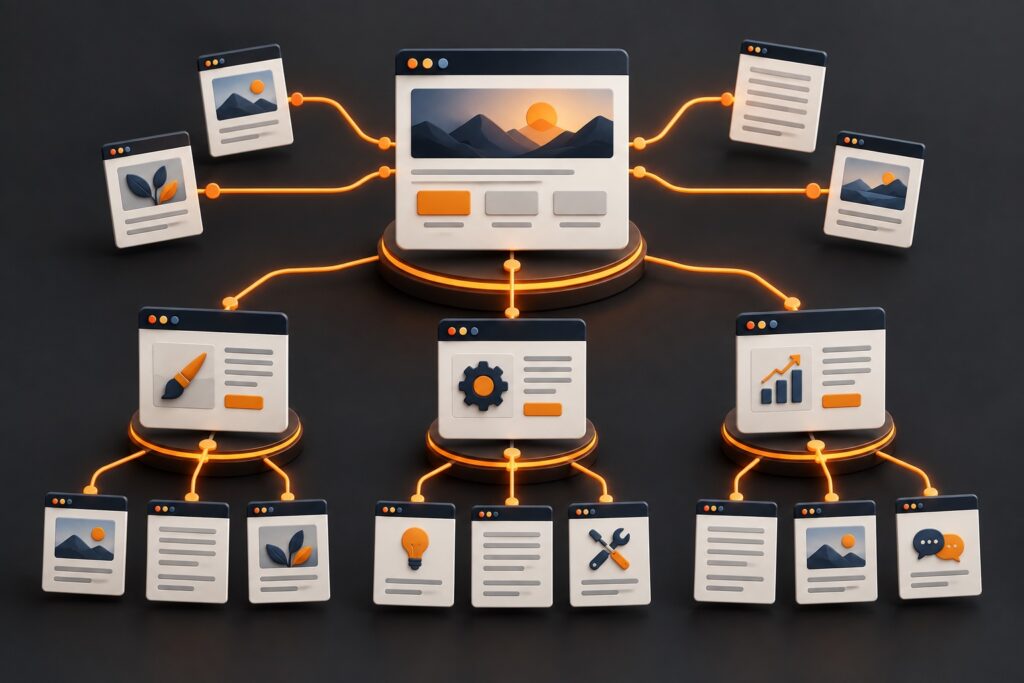
A well-designed website needs more than attractive pages and good content. Visitors should be able to move naturally between your services, resources, and important information. Search engines need to understand those relationships, too.
Internal linking connects pages within your own website. When done thoughtfully, it helps search engines discover content, understand which pages matter most, and recognize how different topics relate to your business.
At JS Design Works, we approach internal linking as part of the overall website structure. Whether we’re working on a vacation rental website, a professional services business, or an online store, every important page should have a clear purpose and a logical path for visitors to follow.
01Why Internal Linking Matters
Internal links do three important things:
- Improve website navigation: Visitors can explore related information without returning to the main menu.
- Support search visibility: Search engines use links to discover pages and understand relationships between them.
- Create better conversion paths: Visitors can move from educational content to the services or solutions they’re researching.
Consider a vacation rental website. Someone reading an article about planning a family reunion might also be interested in properties with large gathering spaces, private pools, or multiple bedrooms.
A contextual link from the article to a relevant property collection helps that visitor continue their search. It also reinforces the relationship between the informational content and the booking pages.
The same principle applies to law firms, healthcare practices, contractors, and other service businesses. Internal linking is not simply about adding more links. It’s about connecting the right information at the right moment.
02Organize Your Website Around Core Services
Before adding links, identify the pages that matter most to your business. For many small WordPress websites, these include:
- Homepage
- Main services page
- Individual service pages
- Industry-specific landing pages
- Portfolio or project pages
- Educational articles
- Contact or consultation page
Your homepage introduces the business and directs visitors toward its primary offerings. Your service pages explain what you provide. Supporting articles answer questions and build topical relevance.
For example, our website services connect to broader needs such as website design, WordPress development, ongoing maintenance, and search optimization. Each supporting article should reinforce a related service or help visitors make an informed decision.
This gives your website a connected structure instead of a collection of isolated pages.
03Build Links Around Your Customers’ Needs
Different businesses need different internal-linking strategies.
Vacation Rental and Hospitality Websites
Vacation rental websites often contain property listings, destination guides, amenities, booking information, and pages targeting specific traveler needs.
Useful linking relationships might include:
- Destination guides linking to relevant rental collections.
- Property descriptions linking to nearby attractions.
- Large-group vacation articles linking to suitable accommodations.
- Amenity-focused pages linking to properties offering those features.
- Property pages linking to frequently asked questions and booking information.
For example, a guide about family vacations in Orlando could link to a collection of large vacation homes near the area’s attractions. These links help visitors narrow their options while connecting informational searches to potential bookings.
Professional Service Websites
Law firms, accounting practices, healthcare providers, and consulting businesses can use internal links to connect educational content with specific services.
An estate planning article might reference trust administration or business succession planning. An accounting article about preparing for tax season could link to tax preparation and business accounting services.
The objective is to help readers find the next relevant piece of information without forcing them through multiple navigation menus.
E-Commerce Websites
Online stores benefit from connections between product categories, individual products, buying guides, and related collections.
A product buying guide should connect readers to the relevant product category. Product pages can also reference compatible accessories or supporting educational content. The links should follow the customer’s shopping journey and provide meaningful context.
You can explore examples of the different types of websites we’ve developed in our project portfolio.
04Use Descriptive, Natural Anchor Text
Anchor text is the clickable wording used in a link. It should describe what visitors can expect after clicking.
Instead of writing “Click here to learn more,” use “Explore our WordPress website services.” Instead of “See this page,” use “View our recent website development projects.”
Descriptive links give both visitors and search engines more context. However, avoid repeating the same keyword-heavy phrase throughout your website. Anchor text should fit naturally within the surrounding sentence.
The goal is clarity and usefulness, not keyword repetition.
05Connect Blog Content to Relevant Services
Educational articles are an opportunity to support your website’s most important pages.
A WordPress performance article, for example, might discuss hosting decisions, caching configurations, and third-party scripts. Those topics naturally connect to related resources.
If you’re evaluating your WordPress infrastructure, our article on how hosting choices affect website performance provides additional context.
For Elementor websites, we’ve also covered why stacking multiple caching plugins can create problems.
These links make sense because they expand on related technical decisions. An article about website performance may also lead naturally to information about website maintenance or professional development services.
Not every article needs to promote a service directly. Some links should simply help readers understand the subject better.
06Avoid Common Internal-Linking Problems
Even established websites can develop structural problems as new pages are published and older content changes.
Orphan Pages
An orphan page has no internal links pointing to it. These pages can become difficult for visitors and search engines to discover. Important service pages, property collections, and evergreen resources should be accessible through relevant navigation or contextual links.
Broken Internal Links
Website redesigns and migrations sometimes change URLs. If older links still point to removed pages, visitors encounter errors and search engines lose useful pathways through the website. A proper migration should include an internal-link audit, URL mapping, and appropriate redirects.
Irrelevant Links
Adding a link simply because a keyword appears in a paragraph can make content feel forced. A website design article does not need to link to every service your business provides. Only include links that genuinely relate to the reader’s current topic.
Excessive Linking
Adding numerous links to every paragraph can distract readers. There is no universal number of internal links that every page must contain. A short service page may need only a few, while an extensive destination guide might reasonably include many more. Focus on relevance, usability, and page purpose.
07Measure Internal-Linking Performance
Internal linking should be reviewed as part of ongoing website optimization. Google Search Console can help you monitor changes in search impressions, clicks, and visibility for important pages. Website analytics can help you evaluate how visitors navigate between articles, services, and conversion pages.
Useful questions include:
- Are visitors moving from blog articles to service pages?
- Are destination guides helping travelers discover properties?
- Are visitors reaching contact forms or booking opportunities?
- Are important pages accessible without unnecessary navigation steps?
- Are older articles still directing readers to relevant content?
Changes in performance should be evaluated over time. Internal links can improve site structure, but they do not guarantee ranking increases. Other factors, including content quality, search intent, technical accessibility, competition, and external signals, also influence results.
For websites using several analytics and marketing scripts, it’s also important to keep tracking from affecting performance. Our guide to Google Tag Manager, tracking pixels, and Core Web Vitals explains some of those considerations.
08Make Internal Linking Part of Your Website Strategy
A useful internal-linking strategy starts with understanding the customer journey.
For a hospitality website, that journey might begin with destination research and continue through property discovery, availability, and booking. For a professional services website, it could begin with an educational article and lead to a service explanation or consultation request.
Each internal link should help move visitors toward the information or action they need.
At JS Design Works, we consider website structure, search visibility, content relationships, and usability together. A website should feel connected, regardless of whether it contains fifteen pages or hundreds of property listings.
If your WordPress website has grown without a clear content structure, or you’re preparing for a redesign or migration, let’s discuss your website and identify opportunities to improve navigation, internal linking, and search visibility.
